
Features
Everything SOOT does, explained.
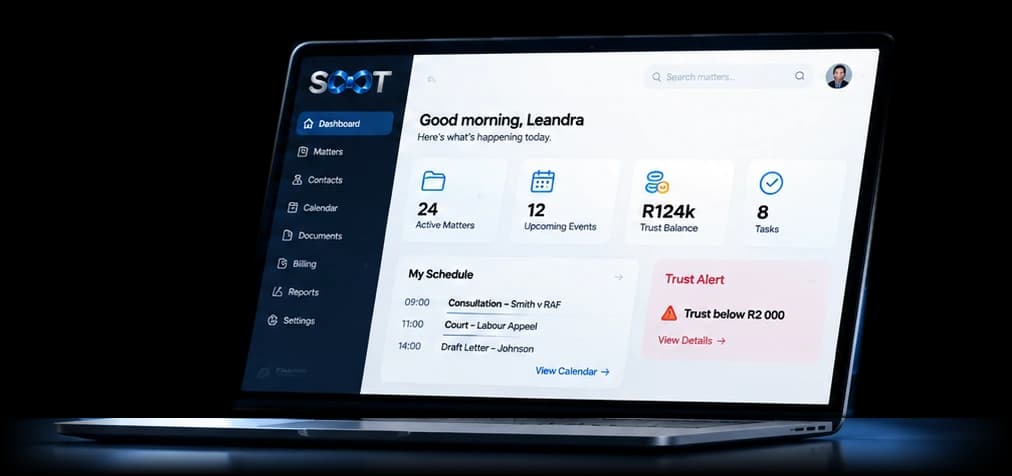
One app for the whole firm. Search one matter and see everything about it. Pick any part of SOOT to read exactly what it does.

61
South African practice areas, each with stages, tasks and questions
69
court documents, grouped by court
47
client, office and insurer claim forms
1
login for every role, on any computer or phone
16 parts, one app
Choose a part of SOOT.
Matters
Search one matter and see everything about it.
- 61 South African practice areas
- Opening a matter sets up the work
- Stages that finish themselves
- Your file numbers, your way
- and 4 more
Deadlines
South African time limits counted for you.
- Counted by the rules
- Your holidays and closures count
- Started for you
- Ours and theirs
- and 2 more
Documents and bundles
Open, fix, name, bundle and search every document.
- Named automatically
- Folders that make themselves
- Fix pages
- Page checks
- and 4 more
Templates, forms and e-signing
Court documents, firm forms and signatures, paperless.
- 69 court documents and 47 forms
- Your house style
- Clients fill in their part
- E-signatures on the page
- and 2 more
Fees and billing
The right tariff, on the timeline, with its proof.
- The right tariff
- Approve or not billable
- Proof stays with the fee
- Voided, never deleted
- and 3 more
Trust and money
One clear picture of each matter's money.
- Trust, cover and what's committed
- Funding safeguard
- Low trust alerts
- Money spotted in email
- and 1 more
AccountingComing next
Trust, business and office books, debtors and creditors.
- Trust, business and office books
- Invoices
- Debtors
- Suppliers and creditors
- and 4 more
Email and phone
Emails file themselves; calls land on the matter.
- Emails file themselves
- Read and send inside SOOT
- Save to the matter and OneDrive
- Follow-ups
- and 2 more
Calendar and your day
Appointments, consultation hours and a plan for the week.
- My day
- Plan your week
- Every view
- Consultation hours
- and 2 more
Client portal and sharing
Clients see their progress and send what you need.
- Progress and updates
- Documents still needed
- Questions and consultations
- Forms and signatures
- and 2 more
Tasks, drafting and duties
Everyone knows what to do next.
- Tasks with a check
- Drafting teams
- Timelines
- Court duties
- and 1 more
Paper files
Know where every physical file is.
- A register of paper files
- Filing boxes and storage
- Requests
HR, payroll and the office
Leave, payslips and the people side of the firm.
- Leave
- Payroll and payslips
- HR files
- Self-service
- and 3 more
Your firm, your rules
Roles, seats, branding and a report on every list.
- Roles and permissions
- Seats and hand-over
- Set-up checklist
- Pull report on every list
- and 1 more
Moving to SOOT
Bring your matters, ledgers and documents across.
- Templates for every import
- Checked first
- Ledgers that add up
- Documents named and matched
- and 1 more
Security
Rules that no one can override.
- Authenticator app on every login
- Checked on every request
- Each firm kept apart
- Sign-ins you control
- and 1 more
One app for every role
What each person sees in SOOT.
Directors
- Firm money totals and fees to approve
- Roles, seats and every setting
- Targets, badges and change logs
Attorneys
- My day: what needs you today
- Matters, deadlines and drafting
- Fees on the timeline, ready to approve
Secretaries
- Documents named, fixed and bundled
- Consultations booked into free slots
- Emails filed to the right matter
Accounts
- Trust records and low-trust alerts
- Payroll with PAYE, UIF and SDL
- Travel claims to pay
Messengers and filing
- Court duties signed out and recorded
- Where every paper file is
- Files to return to their spot
Every staff member
- Leave and payslips on their phone
- Clock in on the office network
- Travel claims and Employee of the month
Billing on the timeline
No fee slips through.
- 1
The work is recorded
An email is filed, a letter drafted, a call made or a consultation held.
- 2
SOOT suggests the fee
From the right tariff for this insurer, court and date.
- 3
The attorney decides
Approve it or mark it not billable. Proof documents stay attached.
- 4
Ready to invoice
With its proof, so the accountant has no queries to chase.
Paperless
From first consultation to signed and billed.
Step 1
Consultation
Booked into a free slot, with notes and the matter's documents.
Step 2
Matter opened
Stages, tasks, questions and deadlines set up from the practice area.
Step 3
Client sends
Documents and answers through the portal, from their phone.
Step 4
Drafted and bundled
Court documents and forms filled from known facts, bundles indexed.
Step 5
Signed online
Signers draw on their phone; SOOT makes the signed copy.
Step 6
Fee and invoice
Fees on the timeline with their proof, ready to invoice.
One place
Stop jumping between programs.
- Excel sheets
- Accounting program
- Email folders
- Paper diary
- WhatsApp groups
- Leave forms
SOOT
One login. One search box. Every matter, fee, rand and person, with SOOT telling you what needs following up.
Works in any browser and on your phone
See your own kind of matter in SOOT.
Book a demo with Lea, or start a free week with your own team. Times are South African time.