
Support
Real people. Real help.
SOOT is built and supported by the person who designed it. Book a time, ask a question, or read the answers below.

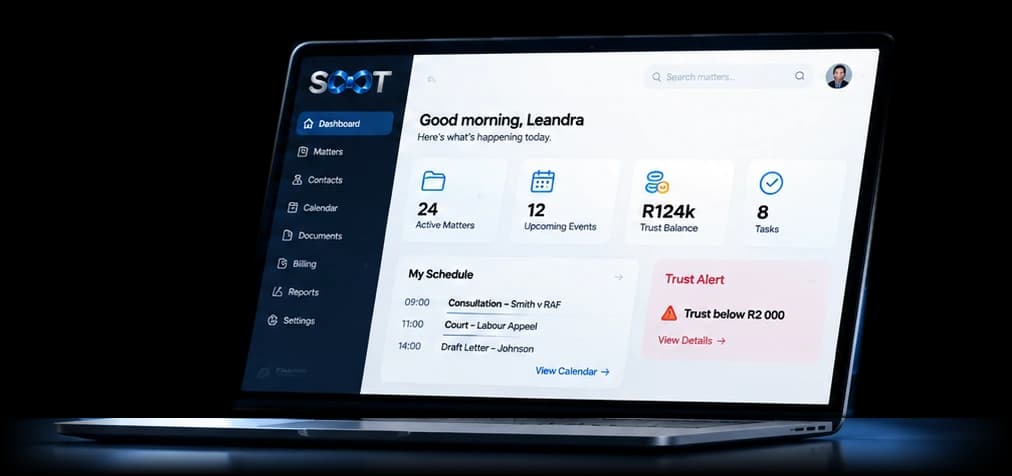
A demo
An hour walking through your kind of matters, online.
Book a demoA free week
We set your firm up and you try SOOT with your own team for a week.
Start a free weekTraining
For your team, by role: directors, attorneys, secretaries, accounts and messengers.
Book trainingAnything else
A question about SOOT, migration or your contract.
Ask a questionOr email leandra@lawsoot.co.za
Getting started
From first call to first matter.
- 1
Book a demo or a free week
Pick a free time that suits you. We confirm by email with a meeting link.
- 2
We set up your firm
Firm details, branding and letterhead, file numbering, practice areas and rates. SOOT's set-up checklist ticks itself off as you go.
- 3
Bring your data across
Contacts, matters, ledgers, invoices and documents, each checked row by row before anything is saved.
- 4
Add your people
Each person gets a seat and an invitation email, and sets up an authenticator app on their first login.
- 5
Training by role
Everyone learns the parts of SOOT their seat uses, online or at your offices.
Common questions
- Do we need to install anything?
- No. SOOT works in any modern browser on a computer, and installs on a phone from the browser. Staff with HR-only seats can do everything on their phone.
- Does SOOT move our money?
- Never. Your clients' money stays in your firm's bank account. SOOT records it, shows each matter's balance and tells you when trust runs low.
- Why do we need an authenticator app?
- Every login needs a code from an authenticator app on your phone, so a stolen password alone can never open your firm's data.
- Can SOOT see our matters?
- No. Each firm's data is kept apart, and not even SOOT's owner can open your matters, clients, documents or money.
- Which email do we use?
- Each person connects their own Gmail or Outlook mailbox. Emails are filed to matters, and Outlook users can see their SOOT appointments in their Outlook calendar.
- What happens when someone leaves?
- Their seat passes to the next person with all its work. Before that, you can download the previous person's file: their HR record, leave, payslips, documents and activity.
- Can we get our documents out?
- Documents open inside SOOT. Payslips, reports, forms (Word and PDF) and the previous person's file can be downloaded, and every list has a Pull report option for Excel, CSV or PDF.
- Does SOOT submit to SARS?
- No. SOOT works out PAYE, UIF and SDL on payroll and keeps the figures and reports your accountant needs to submit.
See your own kind of matter in SOOT.
Book a demo with Lea, or start a free week with your own team. Times are South African time.